
How much do telephone system services cost?
Last updated April 9, 2026
Upgrade your office with a phone system that best suits your business needs. Learn about the different systems cost - from VoIP to on-premise PBX, and what pricing factors matter most.


How much do telephone system services cost?
Last updated April 9, 2026
Upgrade your office with a phone system that best suits your business needs. Learn about the different systems cost - from VoIP to on-premise PBX, and what pricing factors matter most.
Written by

Office phone system costs range from $20 to $50 per user monthly for cloud-based solutions in Australia as of 2026. Based on Bark's analysis of 3,600+ customer requests matched with 300+ phone system installers across Australia, most small to medium businesses pay $25 to $40 per user monthly for hosted PBX systems with standard features. On-premise systems require $5,000 to $15,000 upfront plus ongoing maintenance costs of $1,200 to $3,000 annually.
Get free quotes from phone system installers near you
Australian businesses face confusing phone system pricing in 2026. One provider might quote $15 per user per month, while another lands at $65, both claiming to offer the same service.
The difference hides in what's included, contract terms and hidden fees that emerge months after signing. A $25 per user quote can quickly climb to $42 once you factor in essential features, higher-tier support, and hardware. What looks predictable on paper often isn’t.
This guide breaks down what you’ll realistically pay based on system type, business size, and feature needs. It also highlights the hidden costs that quietly inflate budgets, and shows you how to negotiate 15% to 35% off initial quotes. Whether you’re choosing a small business phone system or scaling to an enterprise setup, you’ll know exactly where the real costs sit.
How much do different types of phone systems cost in Australia?

Understanding phone system costs by type is essential for budgeting accurately. Four phone system technologies compete in Australia in 2026: cloud VoIP, hosted PBX, on-premise PBX and unified communications platforms. Each uses different infrastructure, pricing models and cost structures.
Office phone system costs vary dramatically between these types: cloud solutions start at $10 per user monthly while on-premise systems require $5,000 to $80,000 upfront. Choosing the wrong type wastes thousands annually on features you don't need or leaves you missing capabilities your business requires.
What does cloud-based VoIP cost in Australia?
Cloud VoIP (Voice over Internet Protocol) runs entirely on provider servers. You need only internet-connected devices (desk phones, computers or smartphones). No equipment lives at your location beyond endpoint devices. This is where most Australian small businesses under 20 people start.
Australian cloud VoIP providers structure pricing in three distinct tiers:
Tier | Monthly cost per user | What's included | What's missing | Best for |
Entry-level | $10-$20 | Voicemail, call forwarding, basic auto-attendant, softphone app | Unlimited calls (pay per minute), desk phone support, integrations | Micro businesses under 5 people, light phone users, startups |
Mid-tier | $20-$30 | Everything in entry plus unlimited AU calls, mobile apps, desk phone support, basic CRM integration | Advanced analytics, call recording, video conferencing, priority support | Small businesses 5-20 people, standard office use |
Premium | $30-$40 | Everything in mid-tier plus call recording, advanced analytics, CRM integration, API access, priority support | Enterprise compliance features, dedicated account management | Businesses needing recording or detailed analytics |
Setup costs for cloud VoIP break into specific line items. Account configuration costs $0 to $50 per user with most providers waiving this entirely. Number porting from existing providers costs $0 to $50 per number and takes 5 to 20 business days under ACMA regulations. User training runs $50 to $150 per session for groups of 5 to 10 people.
Hardware choices create the biggest first-year cost variation. Softphone apps are free and run on existing laptops or smartphones, making them ideal for remote teams, though they’re generally less reliable than dedicated devices.
Entry-level desk phones cost $80 to $150 for basic calling features. Mid-range business phones cost $150 to $250 with colour screens and programmable keys. Executive models cost $300 to $600 with advanced features and premium build quality.
A 10-person team on cloud VoIP spends $1,200 to $2,000 in first-year setup (handsets, porting, training) plus $250 to $400 monthly. Three-year total cost hits $10,200 to $16,400 including hardware replacement.
What does hosted PBX cost in Australia?
Hosted PBX delivers traditional business phone features (extensions, call queues, ring groups, IVR menus) from cloud infrastructure. The technical difference from basic VoIP is each business gets a dedicated virtual PBX instance with isolated calling features. This matters for businesses needing professional call handling.
Australian hosted PBX pricing reflects additional capability:
Plan level | Monthly per user | Core features | Add-ons typically needed | Realistic total monthly |
Standard | $20-$35 | Call queues, ring groups, extensions, hunt groups, basic IVR, voicemail-to-email | Call recording ($5-$10/user), basic analytics ($5/user) | $30-$50 per user |
Business | $35-$50 | Everything in standard plus detailed reporting, conference bridge, hot desking, mobile twinning, CRM integration | Video conferencing ($10-$15/user), advanced analytics ($10/user) | $45-$75 per user |
Enterprise | $50-$70 | Everything in business plus video conferencing, real-time dashboards, API access, SSO, compliance recording | Dedicated support ($20-$30/user), workforce management tools ($15/user) | $85-$115 per user |
Setup fees run higher than basic VoIP because configuration gets more involved. Professional installation costs $150 to $300 per user and includes call flow mapping, IVR script creation, extension planning, integration configuration and training sessions.
Number porting follows the same timeline as VoIP (5 to 20 business days) but costs climb slightly. Standard numbers cost $0 to $50 to port. Premium numbers (1300, 1800, 13) cost $50 to $150 to port depending on the provider and number type.
Multi-site businesses face extra costs. Each location needs local emergency service routing at $5 to $15 per location monthly. The Telecommunications Industry Ombudsman (TIO) handles complaints about phone and internet services if issues arise with your provider. Call recording for compliance runs $5 to $15 per user monthly plus storage that scales with retention requirements.
A 20-person business on standard hosted PBX pays $600 to $1,000 monthly ($30 to $50 per user). First-year total including setup and handsets reaches $10,000 to $16,000. This assumes professional installation, mid-range handsets and call recording for half the team.
Compare different phone systems with Bark and connect with specialists who understand your call handling requirements.
What does an on-premise PBX cost in Australia?
On-premise PBX means physical equipment at your business location. You own the hardware and software outright, paying only for phone lines and maintenance after initial setup. This model dominated Australian business until 2015 and still serves specific use cases in 2026.
The cost structure flips from cloud systems. You're buying capital equipment rather than subscribing to services:
Business size | User capacity | Equipment costs | Installation costs | Annual ongoing | First-year total | When it makes sense |
Small | 5-15 users | $3,000-$8,000 | $1,500-$3,500 | $800-$1,500 | $5,300-$13,000 | Never, unless internet is genuinely unreliable |
Medium | 20-50 users | $8,000-$20,000 | $3,500-$8,000 | $1,500-$3,000 | $13,000-$31,000 | Specific compliance requirements, existing infrastructure investments |
Large | 50-200 users | $20,000-$80,000 | $8,000-$25,000 | $3,000-$8,000 | $31,000-$113,000 | Full IT department, data sovereignty mandates |
Equipment costs break into specific components. The PBX server costs $2,000 to $8,000 and handles call processing and voicemail. Network switches with Power over Ethernet (PoE) cost $300 to $1,500 per switch (one per 24 to 48 users). Structured cabling costs $50 to $150 per drop for professional installation by qualified electricians.
Gateway devices connecting PBX to phone lines cost $500 to $2,500. Uninterruptible power supplies (UPS) to maintain operations during outages cost $500 to $2,000. Desk phones cost $100 to $400 each.
Installation complexity drives costs up. Equipment mounting takes half a day to two days at $800 to $1,500 daily. Network configuration takes one to three days. PBX software setup takes two to five days depending on complexity.
Ongoing costs include phone line rental at $20 to $50 per line monthly (most businesses need one line per three to five concurrent calls). Maintenance contracts cost $500 to $2,000 annually for small systems and $2,000 to $8,000 for large deployments.
A 20-user on-premise system costs $15,000 to $25,000 in year one. Years two through five cost $2,500 to $5,000 annually. Five-year total reaches $25,000 to $45,000, compared to $15,000 to $30,000 for cloud systems.
With over 300 phone system installers on Bark, you can compare quotes from local professionals who can assess whether on-premise truly fits your needs.
What do unified communications platforms cost in Australia?
Unified communications platforms bundle voice calling, video meetings, team messaging, file sharing and contact centre features into single applications. Multiple enterprise providers compete aggressively in Australia in 2026.
The value is consolidation rather than cost savings. You're replacing three to five separate tools with one integrated platform:
Platform tier | Monthly per user | Communication modes included | Storage and limits | Integration depth | Who needs this |
Basic UC | $50-$80 | Voice calling, video meetings (up to 100 participants), team messaging, file sharing (10-50 GB per user) | Limited storage, basic integrations (calendar, email) | Single sign-on, basic API | Businesses consolidating separate communication tools |
Enterprise UC | $80-$130 | Everything in basic plus webinars (up to 500 participants), unlimited video storage, advanced call features, contact centre lite | Unlimited storage, advanced integrations (CRM, ticketing, workflow) | Full API access, custom integrations, compliance exports | Medium to large businesses needing advanced features |
Setup costs run high because you're migrating multiple tools simultaneously. Professional migration services cost $200 to $500 per user and include tool audit, migration planning, data migration and training across voice, video and messaging.
UC platforms create hidden costs through feature creep. Phone numbers cost $10 to $15 per user monthly. Advanced call analytics cost $10 to $20 per user monthly. Compliance recording costs $15 to $30 per user monthly. Webinar capabilities cost $30 to $60 per host monthly.
The business case depends on current spending. A business paying $25 per user on phones, $15 per user on video conferencing and $12 per user on team messaging pays $52 total. Moving to a $60 UC platform consolidates these but saves only $8 monthly.
A 15-person team on basic UC spends $750 to $1,200 monthly ($50 to $80 per user). First-year costs including migration reach $15,000 to $25,000. This works best for businesses over 30 users where consolidation simplifies IT management.
What factors affect office phone system costs in Australia?

Six factors create 30% to 60% cost differences for identical user counts. Understanding what drives office phone system costs helps you budget accurately and find savings. Telephone system installer costs also vary based on these same factors.
1. How does user count affect phone system pricing?
Per-user pricing creates volume discount opportunities. Providers tier pricing aggressively because infrastructure costs don't scale linearly with users.
User count | Typical per-user rate | Discount from retail | Monthly total example | Why the discount exists |
1-5 users | $25-$40 | 0% (retail rates) | $125-$200 | No volume, high admin overhead |
5-20 users | $22-$36 | 10-15% | $440-$720 for 20 users | Some volume, worth competing for |
20-50 users | $20-$32 | 15-25% | $800-$1,280 for 40 users | Solid revenue, lower churn risk |
50-100 users | $18-$28 | 25-35% | $1,440-$2,240 for 80 users | Significant revenue, custom contracts |
100+ users | $15-$25 | 30-40% | $1,800-$3,000 for 120 users | Major account, bespoke terms |
Minimum user commitments appear in most contracts. A 3-user minimum at $25 each costs $75 monthly even with only 2 actual users. Five-user minimums are common for business-grade plans.
Growth planning affects initial purchases. A provider charging $30 per user for 10 users might charge $35 per user if you add 3 more later (you're still under the 15-user discount threshold). Buying 15 licences upfront at $28 per user costs more now but saves money as you grow.
Check price lock terms. Some providers guarantee rates for initial user count but charge higher rates for users added mid-contract. Others guarantee rates across all users for the contract term.
2. How do features affect monthly phone system costs?
Basic plans cover calling and voicemail. Every added feature increases monthly costs.
Call recording adds $5 to $15 per user monthly. Advanced call routing and IVR adds $10 to $20 per user. CRM integrations cost $5 to $20 per user depending on complexity.
Video conferencing adds $10 to $30 per user monthly if not included. Analytics and reporting tools add $5 to $15 per user. SMS capability adds $10 to $20 per user monthly.
Australian businesses typically need 3 to 5 add-on features beyond base calling. Budget an extra $20 to $50 per user monthly for a properly featured system.
Some providers bundle features in higher-tier plans rather than charging separately. Compare bundled versus à la carte pricing to find better value.
3. Does call volume affect phone system costs?
Call volume determines whether pay-as-you-go or unlimited plans cost less. Calculate your break-even point by tracking usage for one month:
Usage pattern | Monthly minutes | PAYG cost example | Unlimited cost | Which wins |
Light user | 50-150 minutes | $5.75-$18.50 | $20-$25 | PAYG saves $1.50-$19.25 |
Moderate user | 200-500 minutes | $28-$55 | $20-$25 | Unlimited saves $3-$30 |
Heavy user | 500-1,500 minutes | $55-$145 | $20-$25 | Unlimited saves $30-$120 |
Power user | 1,500-3,000 minutes | $145-$280 | $20-$25 | Unlimited saves $120-$255 |
Australian call rates on PAYG plans vary. Local and national calls cost 1.5 to 9 cents per minute. Mobile calls cost 5 to 12 cents per minute. Some providers charge 15 to 25 cent connection fees per call.
The trap is mixed teams. You might have 12 light users and 3 heavy users. Putting everyone on unlimited costs $375 monthly (15 users × $25). Mixing plans saves money: (12 × $12) + (3 × $25) = $219 monthly, saving $156 monthly or $1,872 annually.
Most Australian providers allow mixed plans per user.
International calling creates budget blowouts. Standard international rates from Australian VoIP providers:
Region | Per-minute rate | Cost for 200 minutes | Cost for 500 minutes |
New Zealand | $0.02-$0.05 | $4-$10 | $10-$25 |
UK, USA, Canada | $0.02-$0.08 | $4-$16 | $10-$40 |
Southeast Asia | $0.05-$0.20 | $10-$40 | $25-$100 |
Europe | $0.08-$0.25 | $16-$50 | $40-$125 |
Middle East, Africa | $0.20-$0.80 | $40-$160 | $100-$400 |
International add-on packs reduce costs. Unlimited packs for specific regions cost $10 to $30 monthly. This makes sense for anyone calling those regions more than 150 to 200 minutes monthly.
4. What hardware do phone systems need in Australia?
Hardware creates the largest gap between quoted monthly fees and actual first-year costs. A provider quoting $25 per user monthly sounds affordable until handsets add $150 per person upfront.
Cloud and hosted systems need only endpoint devices (phones, computers, tablets). On-premise systems need endpoints plus infrastructure (servers, switches, cabling).
Cloud system hardware by user type:
User type | Device recommendation | Unit cost | Best for |
Remote worker | Softphone app on existing computer or phone | $0 | Fully remote teams, workers rarely on calls |
General staff | Entry-level desk phone | $80-$150 | Standard office workers, moderate call volume |
Power users | Mid-range business phone | $150-$250 | Sales, support, reception, managers |
Executives | Premium executive phone | $300-$600 | Executive offices, boardrooms |
A typical 15-person business mixes types: 2 premium phones for executives ($1,000), 3 mid-range for sales ($600), 10 entry-level for general staff ($1,250). Total hardware: $2,850, or $190 per user average.
Australian providers handle hardware three ways:
- Sell at retail with no financing. Entry-level phones retail $120 to $150.
- Bundle into monthly fees. $150 phone becomes $6.25 monthly over 24 months (often with 5% to 15% financing charge built in).
- Include free in contract commitments. Sign 24 to 36 months and get "free" handsets. The monthly per-user fee is typically $3 to $8 higher than BYO plans.
Calculate which costs less over your contract term.
On-premise hardware scales with user count and includes infrastructure:
Component | Small (5-15 users) | Medium (20-50 users) | Large (50-200 users) |
PBX server | $2,000-$4,000 | $4,000-$8,000 | $8,000-$30,000 |
PoE switches | $300-$800 | $800-$1,500 | $1,500-$5,000 |
Cabling | $750-$2,250 | $3,000-$7,500 | $7,500-$30,000 |
Gateway | $500-$1,000 | $1,000-$2,000 | $2,000-$5,000 |
UPS | $500-$1,000 | $1,000-$2,000 | $2,000-$8,000 |
Desk phones | $1,500-$3,000 | $4,000-$10,000 | $10,000-$40,000 |
Total | $5,550-$12,050 | $13,800-$31,000 | $31,000-$118,000 |
These on-premise costs explain why cloud dominates new installations. A 20-person business spends $3,000 to $5,000 on cloud handsets versus $13,800 to $31,000 for complete on-premise infrastructure.
5. How do contract terms affect phone system costs?
Contract terms create 15% to 35% cost differences for identical services. Providers discount for commitment because longer contracts reduce customer acquisition costs.
Contract length | Discount from month-to-month | Price example | Early termination fee | When to choose |
Month-to-month | 0% (full retail) | $30/user | None | Testing systems, uncertain future |
12-month | 10-18% off | $25-$27/user | $100-$300 per user | Stable business, confident in provider |
24-month | 18-27% off | $22-$25/user | $200-$500 per user | Very stable, confident after trial |
36-month | 25-35% off | $20-$22/user | $300-$800 per user | Enterprise, well-tested |
For 20 people, contract choice affects annual costs:
- Month-to-month at $30/user: $7,200 annually
- 12-month at $26/user: $6,240 annually (saves $960)
- 24-month at $23/user: $5,520 annually (saves $1,680)
Over two years, 24-month contract saves $3,360 versus month-to-month. But if you cancel after 12 months, you might owe $200 per user × 20 = $4,000. This wipes out savings.
Smart approach: start month-to-month for 3 to 6 months to test the provider. If satisfied, renegotiate into a longer contract.
Annual prepayment delivers additional 5% to 10% discounts. Only do this if cash flow permits and you're confident in the provider.
6. How do support requirements affect phone system costs?
Support quality determines whether small issues are resolved in minutes or turn into hours of downtime. Many Australian providers tier support aggressively, which directly affects response times.
Support tier | What's included | Response time | Cost | Who needs this |
Basic | Email and phone 9am-5pm AEST Mon-Fri | 24-48 hours email, 30-120 min phone | $0 (included) | Businesses with in-house IT |
Business | Email, phone, chat 7am-9pm Mon-Sat | 4-12 hours email, 15-30 min phone | $5-$15/user monthly | Most businesses without IT staff |
Premium | 24/7 email, phone, chat | 1-4 hours email, 5-15 min phone | $15-$30/user monthly | Businesses where downtime costs revenue |
Enterprise | Everything plus account manager | Custom SLAs | $20-$50/user monthly | Large businesses (50+ users) |
Service level agreements (SLAs) define uptime guarantees:
SLA level | Uptime guarantee | Allowed downtime monthly | Cost | Compensation if missed |
Standard | 99.5% | 3.6 hours | $0 (included) | 10-25% service credit |
Enhanced | 99.9% | 43 minutes | $5-$15/user monthly | 25-50% service credit |
Enterprise | 99.95% | 21 minutes | $10-$25/user monthly | 50-100% service credit |
Most Australian businesses operate fine on 99.5% SLAs. Calculate your downtime cost to decide if enhanced SLAs make financial sense.
On-premise systems need separate maintenance contracts:
- Basic remote support: $500 to $1,200 annually
- Standard maintenance: $1,200 to $3,000 annually (includes 2-4 on-site visits)
- Premium maintenance: $3,000 to $8,000 annually (quarterly visits, 4-hour emergency response)
How much do telephone system installers cost in Australia?

Installation costs vary between system types and business complexity.
What does cloud phone system installation cost?
Cloud systems need minimal physical installation. Australian installers charge $0 to $300 per user.
Basic self-service setup costs $0. You configure online using provider portals. This suits tech-savvy businesses under 10 users. Guided setup costs $50 to $100 per user. The provider configures remotely and trains users. Professional installation costs $150 to $300 per user. Installers visit your premises, configure handsets and train staff.
Number porting takes 5 to 20 business days and costs $0 to $50 per number. Setup includes configuring auto-attendants, call flows and voicemail.
A 15-user cloud system with professional installation costs $2,250 to $4,500 for setup plus hardware. Most Australian businesses complete installations in 1 to 3 days.
Get quotes from local phone system installers who can assess your specific setup requirements.
What does on-premise phone system installation cost?
On-premise installations require physical equipment, cabling and on-site configuration. Costs run higher.
Small installations (5-10 users) cost $1,500 to $3,000 for professional setup. Medium installations (10-30 users) cost $3,000 to $8,000. Large installations (30+ users) start at $8,000. Complex multi-site installations hit $20,000 to $50,000.
Installation includes cabling at $50 to $150 per network drop. Server configuration takes 1 to 2 days at $800 to $1,500 daily. Software licensing costs $100 to $300 per user.
On-premise installations take 3 to 10 business days. Budget $150 to $500 per user for complete professional installation.
Should I DIY or use professional phone system installation?
Factor | DIY installation | Professional installation |
Cost | $0-$500 for minor services, your time | $2,000-$5,000 for 10-20 users |
Time investment | 10-40 hours across 1-2 weeks | 1-3 days, minimal your time |
Technical requirements | IT confidence, troubleshooting skills | None, technicians handle everything |
Works well for | Cloud VoIP under 10 users, simple setups | 10+ users, on-premise, CRM integration |
Risk level | Medium to high | Low, guaranteed working system |
DIY makes sense when you're tech-savvy, running a micro business and using basic cloud VoIP. Professional installation delivers value for growing businesses, complex setups or teams lacking IT expertise.
The hidden cost of DIY is misconfiguration risk. A poorly set up auto-attendant might route calls incorrectly, losing business. Integration problems might break CRM workflows. These failures cost more than professional installation fees.
Calculate your time value honestly. If you bill $100 hourly and DIY takes 20 hours, the real cost is $2,000 in your time. Professional installation at $2,500 looks better.
Request detailed quotes showing what's included in professional setup to make an informed decision.
What's the total cost of ownership for phone systems in Australia?
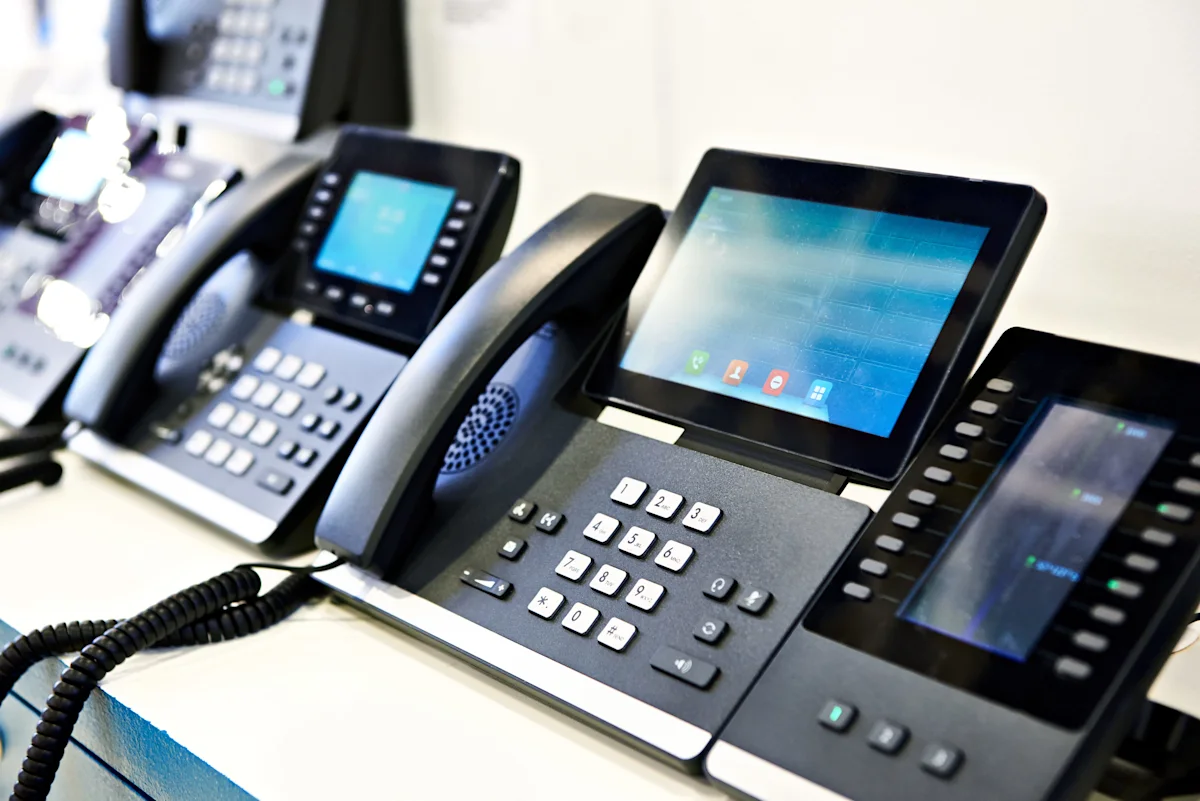
Monthly fees are just one part of total costs. Smart budgeting accounts for all expenses over the system's life.
What do phone systems cost in the first year?
For a 15-user cloud VoIP system:
- Monthly fees: $25 × 15 × 12 = $4,500
- Setup and installation: $2,000
- Handsets: $150 × 15 = $2,250
- Number porting: $300
- Training: $500
- Total first year: $9,550
For a 15-user on-premise PBX:
- Equipment purchase: $12,000
- Installation: $4,500
- Monthly line rental: $30 × 15 × 12 = $5,400
- Maintenance contract: $1,200
- Training: $800
- Total first year: $23,900
Cloud systems cost less in year one. The gap narrows over time but cloud remains cheaper for most businesses.
What are ongoing annual phone system costs?
After year one, costs settle into predictable patterns:
Cost component | Cloud VoIP (15 users) | Hosted PBX (15 users) | On-premise (15 users) |
Monthly subscription | $4,500 | $6,000 | $0 |
Phone line rental | $0 (included) | $0 (included) | $5,400 |
Maintenance contract | $0 (included) | $0 (included) | $1,200 |
Software updates | $0 (automatic) | $0 (automatic) | $800 |
Feature add-ons | $600 | $900 | $0 |
Hardware replacement | $300 | $300 | $500 |
Support upgrades | $0 | $1,200 | $0 |
Total annual ongoing | $5,400 | $8,400 | $7,900 |
Five-year total cost of ownership:
System type | Year 1 | Years 2-5 (per year) | 5-year total | Per user per year |
Cloud VoIP | $9,550 | $5,400 | $31,150 | $415 |
Hosted PBX | $12,850 | $8,400 | $46,450 | $619 |
On-premise | $24,950 | $7,900 | $56,550 | $754 |
Cloud VoIP delivers 45% savings versus on-premise over five years. Hosted PBX costs 18% more than cloud VoIP but 50% less than on-premise.
What hidden costs should Australian businesses watch for?
Quoted prices rarely include costs that emerge months into deployment. These hidden expenses add 20% to 40% to annual costs:
Hidden cost | Typical impact | Example | Prevention |
Premium number fees | $10-$50/month | 1300 number costs $15 monthly plus $0.08/minute inbound | Clarify per-minute charges before purchasing |
International overages | $100-$500/month | Three staff calling Asia-Pacific at $0.15/minute for 200 minutes = $270 total | Buy international packs or block international |
Feature creep | $10-$30/user monthly | System starts at $25/user, adds recording ($10), SMS ($12), video ($15) reaching $62/user | Audit features quarterly, remove unused |
Bandwidth upgrades | $50-$200/month | NBN 25 can't handle 10 concurrent calls, needs upgrade | Test call volume before switching |
Contract exit fees | $2,000-$10,000 one-time | Cancel 24-month contract after 12 months, owe $4,000 | Negotiate better exit terms upfront |
User growth | $300-$1,500/month | Budget for 15 users, grow to 22, adds $175-$550 monthly | Build 20-30% growth buffer |
Support upgrades | $5-$20/user monthly | Basic support frustrates with 24-48 hour response, upgrade to priority | Test support during trial period |
Hardware replacement | $500-$2,000 every 3-4 years | Phones last 4-6 years, need 5 replacements annually at $150 | Budget $300-$800 annually |
These hidden costs typically add $1,500 to $4,000 annually to a 15-user system. Budget at 125% to 140% of quoted monthly fees.
How much do phone systems cost by business size in Australia?

Business size affects not just user count but which system type makes financial sense. Office phone system costs scale differently for micro businesses, small businesses, medium enterprises and large corporations. Telephone system installer costs also vary significantly by business size and complexity.
What do phone systems cost for micro businesses (1-5 employees)?
Micro businesses need basic calling without complex features. Budget $100 to $250 monthly total. Many small business owners also consult with business coaches when making technology investment decisions.
Best option is basic cloud VoIP at $20 to $30 per user monthly. A 3-person business pays $60 to $90 monthly. Setup costs $0 to $500 using self-service or light professional help.
Use softphones on existing devices to avoid handset costs. Add one desk phone at reception for $150 if needed. Total first-year cost for 3 users runs $1,200 to $1,800.
Many Australian providers offer micro business plans at $5 to $15 per user monthly for PAYG models.
What do phone systems cost for small businesses (5-20 employees)?
Small businesses hit the sweet spot where volume discounts start and business features become cost-justified.
User count | System recommendation | Monthly total | First-year total | Key features needed |
5-8 users | Cloud VoIP or entry hosted PBX | $150-$320 | $3,500-$6,500 | Call forwarding, voicemail-to-email, mobile app |
9-15 users | Hosted PBX standard tier | $375-$600 | $6,500-$11,500 | Everything above plus call queues, basic IVR |
16-20 users | Hosted PBX business tier | $640-$1,000 | $10,500-$17,000 | Everything above plus call recording, analytics |
A realistic 12-person small business scenario:
- Monthly subscription: $33 × 12 = $396 monthly
- Setup and installation: $2,500
- Hardware: $1,800
- Number porting: $300
- Training: $600
- First-year total: $10,452
Ongoing years: $396 × 12 = $4,752 plus $600 feature additions and $300 hardware replacement = $5,652 annually.
Small businesses need professional installation because limited IT expertise makes DIY risky and call flow configuration affects customer experience directly.
What do phone systems cost for medium businesses (20-50 employees)?
Medium businesses gain negotiating power and justify advanced features.
User count | System options | Monthly budget | First-year budget | Negotiation leverage |
20-30 users | Hosted PBX business or entry UC | $800-$2,400 | $14,000-$32,000 | Strong, providers compete hard |
31-40 users | Hosted PBX enterprise or UC | $1,240-$3,600 | $20,000-$48,000 | Very strong, custom pricing available |
41-50 users | Enterprise hosted PBX, UC or hybrid | $1,640-$5,000 | $26,000-$65,000 | Excellent, 20-30% discounts |
A realistic 30-person medium business on hosted PBX enterprise:
- Monthly subscription: $42 × 30 = $1,260 monthly
- Setup and installation: $6,500
- Hardware: $5,400
- Number porting: $600
- Training: $1,200
- First-year total: $27,820
Medium businesses should absolutely negotiate. Ask for 15% to 25% volume discounts, waived setup fees, free hardware and extended trial periods. Many businesses work with IT consultants to evaluate phone system options and negotiate better terms.
What do phone systems cost for large businesses (50+ employees)?
Large businesses often need unified communications or enterprise-grade hosted PBX. Budget $2,500 to $6,500 monthly.
Enterprise hosted PBX or UC platforms at $30 to $60 per user monthly suit large teams. A 75-person business pays $2,250 to $4,500 monthly.
Setup costs $10,000 to $30,000 including professional installation, integration, data migration and training. Total first-year cost for 75 users runs $37,000 to $84,000.
Large businesses might justify on-premise systems for control or compliance. But cloud and hybrid models increasingly dominate even at enterprise scale.
What are the pros and cons of different phone system types?
The right phone system depends on your specific constraints. Match system architecture to your business reality.
What are cloud VoIP pros and cons?
Advantages | Disadvantages |
Low upfront costs, typically $0–$2,000 for most small businesses | Requires a reliable internet connection for good call quality |
Easy remote working since calls can be made or received anywhere with internet | Call quality can drop if bandwidth is insufficient |
Quick setup, usually completed in days rather than weeks | Less control over system configuration compared to on-premise systems |
Scales easily up or down each month without penalties | Ongoing monthly fees continue indefinitely |
Provider manages maintenance and updates at no extra cost | Some customisation options may be limited |
Dependent on the provider's reliability and long-term operation |
Best for:
- Small to medium businesses wanting low upfront costs
- Remote or hybrid teams needing flexibility
- Businesses with reliable high-speed internet
- Growing businesses needing easy scaling

What are hosted PBX pros and cons?
Advantages | Why it matters |
Advanced business features (call queues, ring groups, IVR) | Proper PBX functionality at cloud costs |
Dedicated virtual PBX instance | Better performance than shared VoIP |
Professional call handling | Customers experience proper business phone system |
Included redundancy | Automatic failover versus manual planning |
Easy CRM integration | Provider handles integration updates |
Instant user adds | No equipment purchases when growing |
Disadvantages | Why it matters |
Costs 30-80% more than basic VoIP | Significantly higher monthly spend |
Still internet-dependent | All cloud disadvantages apply |
Less customisable than on-premise | Can't modify underlying system |
Contract commitments for best pricing | Reduces flexibility to switch |
Complex tier pricing | Difficult to understand true costs |
Best for:
- Businesses 10-100 users needing proper PBX features
- Growing companies wanting professional image
- Businesses with multiple locations
- Teams needing call queues and IVR
Choose hosted PBX instead of basic cloud VoIP when:
- You need call queues, ring groups or IVR menus
- You're receiving 50+ inbound calls daily that need routing
- Customers need to reach departments rather than individuals
- You need detailed call reporting
What are on-premise PBX pros and cons?
Advantages | Who needs this |
Complete system control and data ownership | Financial services, healthcare, legal with data sovereignty mandates |
One-time capital purchase | Businesses amortising equipment over 7-10 years |
Internet-independent operation | Rural areas with unreliable NBN |
Unlimited customisation possible | Complex contact centres with unique workflows |
Legacy system integration | Manufacturing, hospitals with existing infrastructure |
No external provider dependency | Businesses planning 10+ year horizons |
Disadvantages | Why cloud wins |
High upfront capital ($5,000-$80,000) | Cloud operational expense, start next week |
Requires in-house IT expertise | Cloud providers handle all maintenance |
Scaling requires equipment purchases | Cloud adds users same day |
Equipment obsolescence (5-7 year cycles) | Cloud improves automatically |
Remote work complexity | Cloud works anywhere with zero configuration |
Manual security patching | Cloud handles security automatically |
Single point of failure risk | Cloud multi-site redundancy |
The honest 2026 assessment: On-premise PBX rarely makes sense for new installations. Cloud costs less, delivers better features and supports modern work patterns better.
On-premise makes sense ONLY when:
- You're in a genuinely internet-unreliable location
- You have compliance requirements mandating on-premise
- You already own a working system less than 5 years old
- You need extremely custom call routing that cloud can't deliver
- You're large enough (100+ users) with full-time IT staff
What are unified communications pros and cons?
Advantages | Disadvantages |
All communication tools in one platform | Higher monthly costs at $50 to $130 per user |
Seamless integration between phone, video, messaging and collaboration | Feature-rich systems can overwhelm small businesses |
Often includes unlimited users for video meetings | Requires training investment |
Strong mobile apps for remote work | May include features you don’t need |
Reduces tool sprawl across multiple apps | Integration with existing tools can be complex |
Advanced analytics across all communication types | Higher tiers often required for full feature access |
Enterprise-grade security | Security setup may require coordination with IT specialists |
Best for:
- Medium to large businesses wanting consolidated platforms
- Remote-first or hybrid companies
- Businesses already using team collaboration tools
- Companies wanting advanced analytics
- Teams needing video conferencing alongside calling
How can Australian businesses save money on phone systems?

Most Australian businesses overpay on office phone system costs by 20% to 40% through poor system selection, weak negotiation and feature bloat. You can also reduce telephone system installer costs significantly by comparing multiple quotes and negotiating effectively. Six strategies cut costs without reducing capability.
How do I choose the right phone system type?
Don't overpay for features you won't use. Basic VoIP at $15 to $25 per user often suffices for small businesses.
List must-have features versus nice-to-haves. Choose the cheapest system delivering all must-haves. You can add features later when needs change.
Cloud systems suit most Australian businesses for cost reasons. On-premise only makes sense with specific requirements justifying higher costs.
How do I negotiate better phone system pricing?
Providers expect negotiation and price initial quotes 20% to 35% above their floor.
Business size | Initial quote likely | Target price | What to ask for |
5-10 users | $30-$35/user | $25-$28/user (12-20% off) | Waived setup, 1-2 months free |
11-25 users | $28-$32/user | $23-$27/user (15-25% off) | Volume discount, bundled features |
26-50 users | $25-$30/user | $20-$24/user (20-30% off) | Custom SLA, locked pricing |
51+ users | $22-$28/user | $17-$22/user (25-35% off) | Annual reviews with credits |
Specific language that works:
"Your quote of $32 per user is 25% higher than other providers. Can you match their pricing?"
"We're committing 24 months and 18 users. What's your absolute best pricing?"
"Setup fees add $3,000 to year one. Can you waive these if we commit now?"
"We'll sign today at $25 per user with business support included."
How can I save on phone system hardware?
Softphone apps cost $0 and work on computers and smartphones. For remote workers or casual phone users, this eliminates handset costs entirely.
Buy refurbished units at 40% to 60% off new prices. Australian suppliers sell refurbished business phones from $50 to $150. Providers often accept BYO hardware on compatible systems.
Reuse existing network cabling if upgrading from old phone systems. This cuts installation costs by $50 to $150 per user.
How do I avoid unnecessary phone system features?
Feature bloat drains budgets. Conduct quarterly feature audits.
Common add-on | Cost per user | Who needs it | Usage threshold | Waste if unused (15 users) |
Call recording | $8-$15 | Sales, support, regulated industries | Used 5+ times weekly | $1,440-$2,700 annually |
Advanced analytics | $8-$12 | Managers optimising call handling | Checked weekly, used for decisions | $1,440-$2,160 annually |
Video conferencing | $10-$20 | Teams without separate video platform | 10+ meetings monthly | $1,800-$3,600 annually |
SMS capability | $10-$18 | Customer service, appointments | Sending 50+ SMS monthly | $1,800-$3,240 annually |
The quarterly audit process:
- Export usage reports from your provider
- Check which features each user engaged with in past 90 days
- Calculate cost per use
- Remove features with under 10 uses per quarter per user
- Downgrade users who don't need premium features
Start lean. Add features when actual need emerges. Most cloud systems let you add features same-day.
Feature justification:
Call recording costing $10 per user monthly for 15 users ($150 monthly, $1,800 annually).
Justify by answering:
- Will we access recordings 15+ times monthly?
- Does this solve a specific compliance or training problem?
- What happens if we don't have this for 6 more months?
If answers are "maybe," "not really," and "nothing bad," wait 6 months.
The reverse problem: Some businesses under-buy and hit walls immediately. You need call queues if you receive 30+ inbound calls daily. Pay the extra $5 to $10 per user for features you'll use from day one.
Should I sign longer phone system contracts?
Contract length locks in savings or creates expensive mistakes.
Smart strategy:
Timeline | Contract term | Pricing | Why |
Months 1-3 | Month-to-month | $30/user (retail) | Test provider quality |
Months 4-15 | Renegotiate to 12-month contract | $26/user (13% off) | Proven provider, save $960/year |
Months 16+ | Renegotiate to 24-month contract | $23/user (23% off) | Excellent relationship, save $1,680/year |
Never sign long contracts upfront. Providers dangle 25% to 35% discounts to lock you in immediately. If the provider's support is terrible or features don't work, you're trapped paying early termination fees.
Early termination fees to negotiate:
Standard provider terms: 100% of remaining contract
What you should negotiate: 50% of remaining contract or $200/user maximum
Growing businesses should avoid long contracts. If you're adding 3 to 5 users quarterly, month-to-month or 12-month maximum gives flexibility.
How many phone system providers should I compare?
Australian phone system pricing varies significantly. Get quotes from at least 3 to 5 providers before deciding.
Request detailed breakdowns showing all costs: monthly fees, setup, hardware, number porting and other charges. Watch for hidden fees like premium support requirements or minimum user counts.
Tell us your requirements once and get quotes from multiple phone system installers showing complete pricing breakdowns.
What questions should you ask phone system providers?

Providers present best-case scenarios in sales demos. The right questions uncover real-world performance, hidden costs and deal-breaking limitations.
What pricing questions should I ask?
What's the total monthly cost per user including all fees? Are there setup or installation fees beyond quoted rates? What does the contract term require and what are cancellation fees?
Do you offer month-to-month contracts or require 12/24 months? What happens to pricing after the initial contract period? Are there price increase clauses?
What's included in base price versus add-on charges? Do you charge for number porting and how long does it take? What are call rates for international or premium numbers?
What feature questions should I ask?
Which features are included in each pricing tier? Can I add or remove features mid-contract? What integrations do you support with CRM and business tools?
Do you provide mobile apps at no extra charge? What's included for call recording? How many concurrent calls does my plan support?
Can I keep my existing phone numbers? Do you offer Australian 1300 or 1800 numbers? What video conferencing capabilities are included?
What support questions should I ask?
Question | Why it matters |
"Call your support number right now while I time the hold. Then ask a technical question." | Stated response times mean nothing, test real experience |
"Show me your actual uptime stats for the last 12 months, not your SLA promise." | 99.9% SLA promise doesn't mean 99.9% actual uptime |
"Where exactly are your support teams located and what hours are they available?" | "Australian support" might mean offshore with one Australian manager |
"What compensation do I receive if you miss your SLA?" | Most SLAs offer 10-25% service credits, essentially nothing |
"Provide 3 Australian customer references we can call about support quality." | References reveal real experiences |
What implementation questions should I ask?
Question | Why it matters |
"What's your average implementation timeline for businesses like mine?" | "3-5 days" often becomes "3-4 weeks" |
"List every task you need from us before and during implementation." | Unclear requirements delay projects |
"Who configures our call flows, IVR menus and auto-attendants: us or you?" | Critical to getting this right |
"What training is included and how is it delivered?" | "Training" ranges from PDFs to full-day sessions |
"What happens if number porting fails or takes longer than promised?" | Porting failures strand businesses |
"Can we run both systems in parallel for 1-2 weeks during transition?" | Parallel running reduces cutover risk |
What are the most common phone system pricing mistakes?

Most businesses make at least two of these seven mistakes when calculating office phone system costs, adding 20% to 50% to costs unnecessarily. Common errors include underestimating telephone system installer costs, ignoring hidden fees and choosing unnecessary premium features.
Underestimating total user count
Businesses often quote for current staff and forget growth plans. Adding users mid-contract sometimes costs more than including them upfront.
Factor in planned hiring for the next 12 months. Include contractors, part-timers and remote workers who need extensions. Budget for 15% to 25% more users than current headcount if you're growing.
Ignoring bandwidth requirements
VoIP needs approximately 100 kbps per concurrent call. A business with 10 staff might have 5 concurrent calls, needing 500 kbps minimum. Many underestimate this and face quality issues.
Check your current internet speeds and capacity. Budget for NBN or business internet upgrades if bandwidth is marginal. Consider getting help from IT support professionals who can assess your network capacity. Quality of service (QoS) configuration sometimes needs networking expertise costing $500 to $1,500. Consider getting a business internet connection assessment before committing to a new phone system.
Choosing features you don't need
The enterprise package sounds essential. For a 12-person business, advanced features waste $3,600 to $7,200 annually.
Business size | Features you need | Features you don't need yet | Annual waste |
5-12 users | Calling, voicemail, mobile app | Call recording, analytics, video | $2,160-$5,040 |
13-25 users | Above plus call queues, basic IVR | Advanced analytics, compliance recording | $3,900-$7,500 |
26-50 users | Above plus call recording, reporting | Workforce management, AI features | $5,200-$10,400 |
The "but we might need it later" trap costs thousands. Cloud systems let you upgrade features same-day. There's zero penalty for starting lean.
Feature justification:
Call recording costing $10 per user monthly for 15 users ($150 monthly, $1,800 annually).
Justify by answering:
- Will we access recordings 15+ times monthly?
- Does this solve a specific compliance or training problem?
- What happens if we don't have this for 6 more months?
If answers are "maybe," "not really," and "nothing bad," wait 6 months.
The reverse problem: Some businesses under-buy and hit walls immediately. You need call queues if you receive 30+ inbound calls daily. Pay the extra $5 to $10 per user for features you'll use from day one.
Forgetting about hardware costs
Monthly quotes exclude handsets. A business quoted $25 per user forgets $150 per desk phone adding $3,000 for 20 users.
Ask for all-in quotes including necessary hardware. Compare BYO hardware options to bundled pricing. Factor in cables, power adapters and networking equipment.
Skipping the fine print on contracts
Buried clauses cost thousands in unexpected fees and trapped commitments.
Clause type | Standard wording | Why this costs you | What to negotiate |
Auto-renewal | "Automatically renews for same term at then-current rates" | Miss 60-90 day notice window, locked 12-24 months at 10-20% higher rates | "Converts to month-to-month at current rate after term" |
Price escalation | "Pricing subject to annual CPI adjustment" | 5-10% annual increases compound | "Fixed pricing with maximum 3% annual increase" |
Early termination | "100% of remaining contract if cancelled early" | Cancel after 12 months of 24-month contract, owe $5,000-$15,000 | "50% of remaining value capped at $200 per user" |
Support requirements | "Business Support required for 10+ users" | Forced to pay $10-$15/user monthly | "Basic support included, optional upgrade" |
Minimum commitments | "Minimum 15 user licences required" | You have 12 users, paying for 3 you don't need | "Per-user pricing with no minimums" |
The auto-renewal trap:
You sign 24 months in March 2026. Contract requires 90-day cancellation notice. Expires March 2028.
If you don't send cancellation notice by December 2027, contract auto-renews for another 24 months at 10% to 20% higher rates.
Fix: Set calendar reminders for 120 days before expiration. Send cancellation notice even if you want to stay. Then renegotiate on your terms.
Read these sections before signing:
- Term and renewal (pages 1-2)
- Pricing and payment (pages 2-3)
- Termination and cancellation (pages 8-12, buried deliberately)
- Service level agreements (pages 5-7)
- Changes to service or pricing (pages 10-15)
If the provider won't give you 3 business days to review the contract with your lawyer or accountant, walk away. Consider working with business lawyers to review major technology contracts before signing.
Not planning for growth or changes
Systems that perfectly fit 10 users might cost more per user when scaling to 15. Some providers charge $40 per user for small accounts but $25 for larger ones.
Ask about pricing at different user tiers. Understand how adding users affects monthly costs. Choose systems that scale cost-effectively rather than cheapest right now.
How much do business phone systems cost in Australia?

Business phone systems in Australia cost $10 to $130 per user monthly depending on system type and features. Based on Bark's analysis of 3,600+ customer requests matched with 300+ phone system installers across Australia, most small to medium businesses pay $25 to $40 per user monthly for hosted PBX with standard features. Cloud VoIP suits smaller businesses at $10 to $40 per user. On-premise systems cost $5,000 to $80,000 upfront plus $1,200 to $8,000 annually for ongoing maintenance.
Choose cloud VoIP if you're under 15 users with simple needs and want minimal upfront costs. Choose hosted PBX if you're 10 to 100 users needing professional call handling with queues and IVR. Avoid on-premise unless you have genuine compliance requirements mandating it.
Now that you know the real costs and what to ask, get accurate quotes from experienced phone system installers who understand Australian business needs. Compare pricing, installation approaches and support quality before deciding.
FAQs
Only if they’re authorised to perform the work where the property is located. Licensing and mutual-recognition rules differ between jurisdictions.
Confirm their authority before sending the contract or paying a fee.


Other guides you might be interested in

Explore all guides about growing your business
Scale your business with the right experts. Explore step-by-step guides on hiring web designers, planning work events, office cleaning, and legal services with Bark.